grab our rss feed  WarpConduit on Facebook
WarpConduit.Net

Entries Tagged ‘htaccess’

How to Enable PHP 5.3 on HostMonster Shared Web Hosting

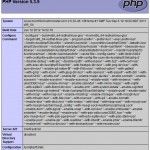
You heard it right, you can now run PHP 5.3 applications on HostMonster. I’ve only testing this on HostMonster, but I would assume the same applies to BlueHost. Simply add this line to the beginning of your website’s root .htaccess file: AddHandler application/x-httpd-php53 .php After making this change you can test it using phpinfo() and [...]

Enabling Gzip Compression of PHP, CSS, and JS Files Without mod_deflate

Normally you can easily enable Gzip compression using mod_deflate by adding the following lines to your .htaccess file: <IfModule mod_deflate.c> AddOutputFilterByType DEFLATE text/html text/plain text/xml text/css text/javascript application/javascript application/x-javascript </IfModule> But for those of you on shared hosts that don’t allow the mod_deflate module and run PHP in CGI/FastCGI mode you can’t go with the [...]

RewriteRule and Trailing Slashes

Just a quick post today, i needed to redirect a URL with and without a trailing slash to the same destination, but didn’t want to create two separate rules, so I did some searching and found that it is very simple. RewriteCond %{HTTP_HOST} ^.*$ RewriteRule ^video(/)?$ http://video.somedomain.com [R=301,L] The (/)? is the key to matching [...]

Redirecting to www with htaccess

This is useful for SEO so all your ranking gets added to one url and not divided between two. Use the following example to create a redirect from your root domain to your www sub-domain: RewriteCond %{HTTP_HOST} ^mycurrentdomain.com [NC] RewriteRule ^(.*)?$ http://www.mycurrentdomain.com/$1 [R=301,L] To use this method you need have mod_rewrite installed and enabled on [...]